
Live TV
The Live TV option on the box allows you to watch live tv from around the world. The first menu will direct you to a specific group of channels for example: English|Canada will be all the live channels available in Canada, English|UK will be all channels in the UK that are broadcasting. Once you chose a group the channels will be come up and you can scroll through them.
24/7 Menus: Allow you to scroll through a number of Channels dedicated to TV show or Movie franchise or star. These shows play one after another and are great if you like a specific show or movie but can’t decide on a episode, fantastic for binge watching.
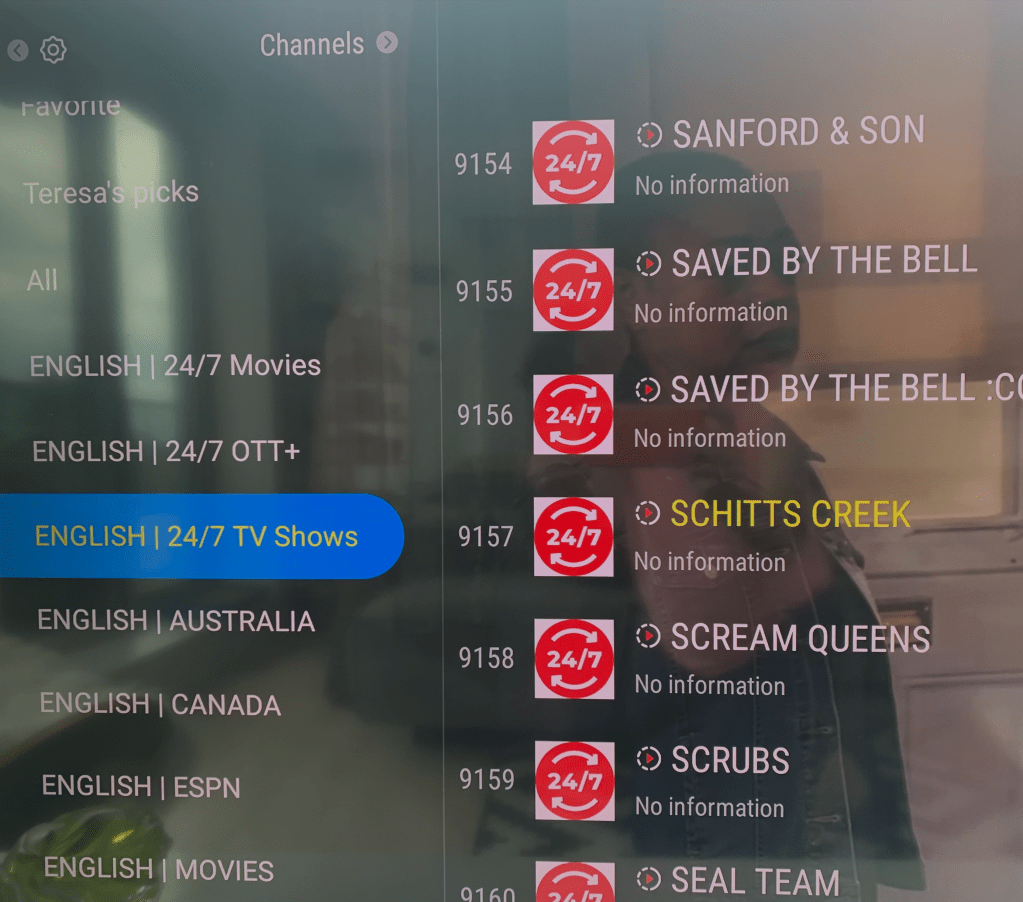
English|Movies : This is the best place to find all your movie channels including HBO, Sky Movies, Crave and much more. When you hit the Guide Button in this menu you can see all the movies and plan your night.
Sports Channels: This is of course the best place to find every game, set and match from around the world. Search for games usually blacked out in your area and also from leagues throughout the world.
VOD
Video on Demand allows you to chose what you want to watch when you want too. This resource gives you the ability to search the world of movies, TV shows/series and watch them anytime you like. Unlike streaming services the MyTV app has all the major series in one place you do not have to have mulitple subscriptions or spend time trying to find your show on different services. Apple, Disney, Paramount and Netflix all in one menu.
The best way to access your desired show is to go to the search icon on the first VOD page. Search the show or series you want to watch and favorite it. It will now be in your Favorites menu. The next time you return it’ll be there for you to start watching. If you are watching a series, you can access it through the Favorite Menu or the History Menu. This helps you navigate the menus more efficiently
 Clem's digibox